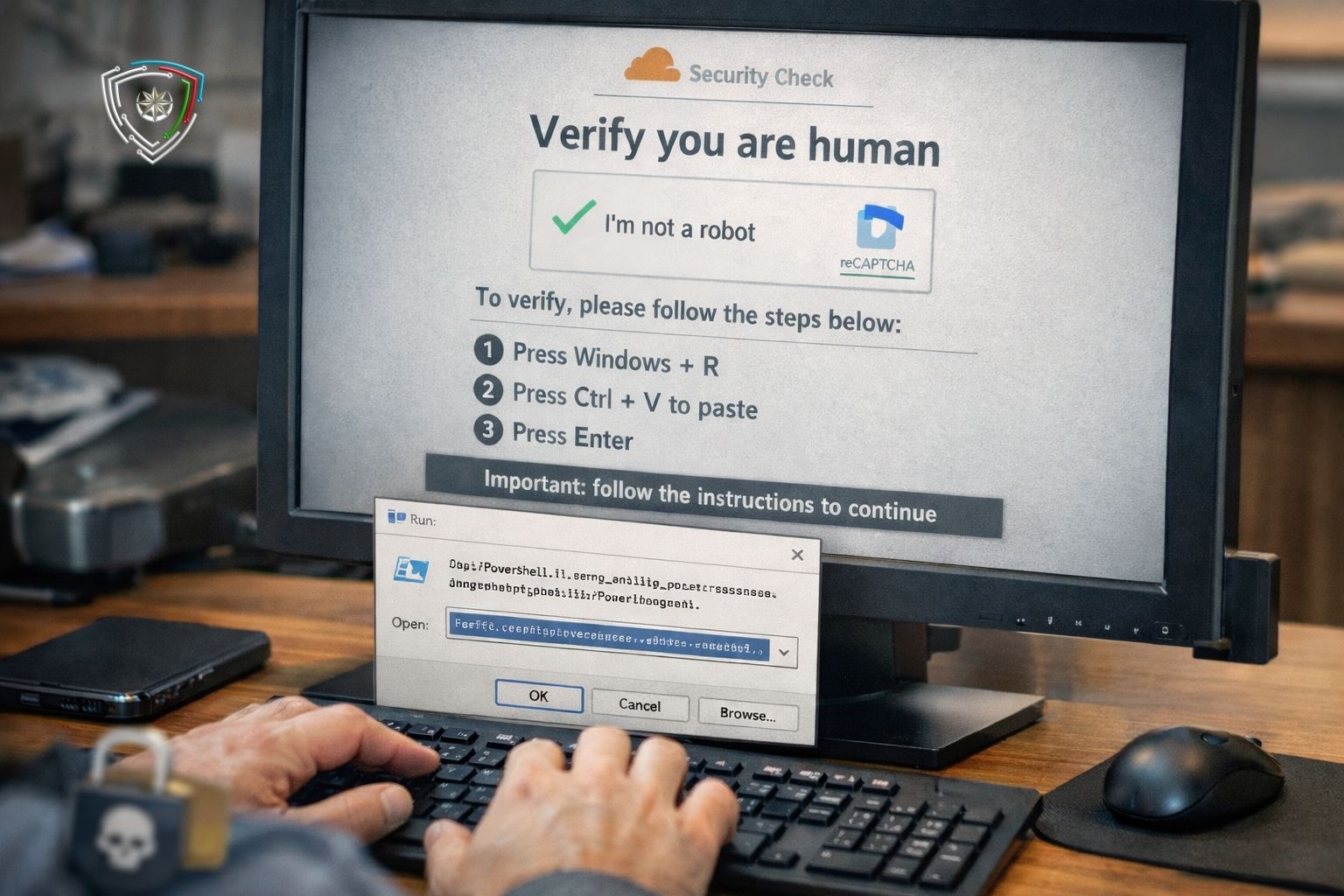
Experts have warned about a new social-engineering campaign targeting Windows users. According to reports, attackers are using fake verification pages that mimic the “I’m not a robot” (CAPTCHA) check to prompt users to manually execute malicious PowerShell commands. This can lead to infection with a data-stealing malware called "StealC".
Researchers explain that the campaign mainly spreads through websites that were previously legitimate but have since been compromised. Attackers injects malicious JavaScript to these sites and show visitors a fake CAPTCHA screen that looks like a Cloudflare-style security check. Instead of a standard visual test, the page asks the user to press Windows + R to open the Run dialog, paste text using Ctrl + V, and then press Enter as part of verification.
This technique is known as “ClickFix”. It takes advantage of the fact that many users trust simple keyboard instructions, especially when they look like a routine security step. In practice, attackers pre-load a malicious PowerShell command into the system clipboard. When the victim pastes it into the Run dialog, the code executes immediately, establishes a connection to a remote server, and then uses a downloader component to launch StealC on the affected system. Experts note that this approach can avoid common browser download warnings and sometimes bypass standard security controls.
Available information indicates that StealC collects sensitive data including browser login credentials, cryptocurrency wallet data, Steam account details, Outlook credentials, system information, and screenshots and exfiltrates it to a command-and-control (C2) server. It is reported that the exfiltration process relies on RC4-encrypted HTTP traffic.
Although CAPTCHA mechanisms are intended to differentiate humans from bots, cybercriminals can exploit users’ trust in such security checks and turn them into an effective attack vector.
Experts advise users to be careful with suspicious CAPTCHA pages, not to run unknown commands requested during verification, and especially not to paste and execute anything through the Run dialog. For organizations, measures such as restricting script execution, strengthening application control mechanisms in Windows environments, and enhancing monitoring of outbound network traffic are highlighted as practical steps to mitigate risk.
 31 July 2026
 28 July 2026
 27 July 2026
 22 July 2026
 20 July 2026
 17 July 2026
 16 July 2026
 16 July 2026




© 2011-2026 All rights reserved